Credits pay for the work in jurispraxis.ai: each question you ask in a chat, with the reading of the sources and documents its answer needs. Credits sit in pools, and the kind of pool decides whether they expire.
Credit pools
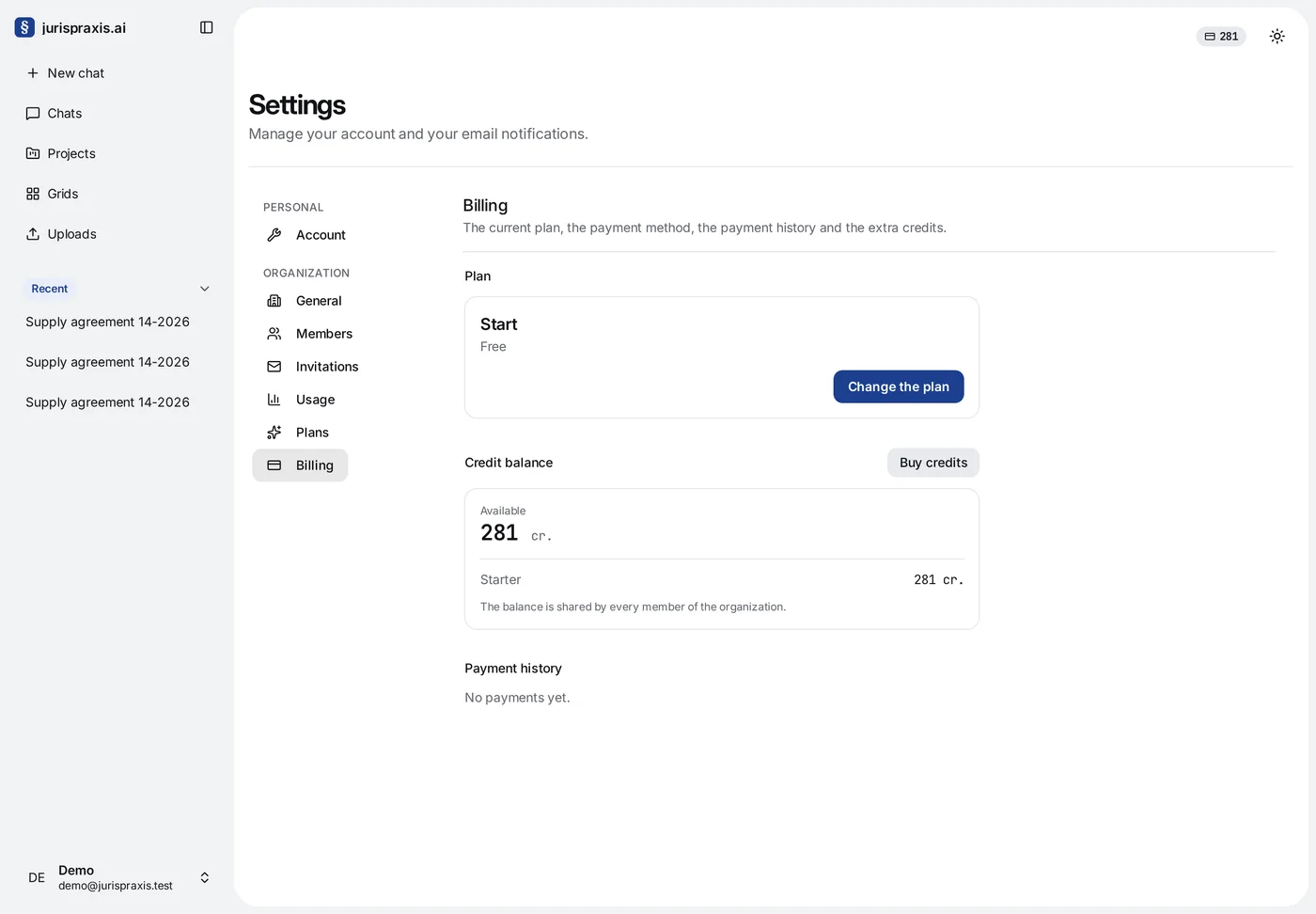
- Starter — the credits of the free Start plan: 300 credits, once. They are added to the organization made with your account after you confirm your email address. They do not expire, but what is left of them goes when the organization takes its first paid plan.
- Monthly — the credits a paid plan gives each billing period. They come with the plan and again each time it renews. What is left at the end of the period expires; when the plan changes in the middle of a period, it is carried over at its worth instead (see Changing the plan).
- Extra credits — credits added on top of a plan. They land in a pool of their own and do not expire at the end of the period.
Every member sees the organization’s balance at the top of the page. The Usage page shows each pool with what is used and what is left. The owner and the administrators also see the pools in Billing, under Credit balance.
How credits are spent
Credits go as the work runs. The balance is shared: every member of the organization spends from it, so each question a member asks makes the shared balance smaller.
Before a question starts, jurispraxis.ai holds an estimate of its cost on the balance. When the answer is ready, it charges what the work actually cost and gives back the rest of the hold. The cost follows the work: how much the models read and write for that answer.
The pools are spent in a fixed order: Monthly first, then Starter, then Extra credits. The credits that expire go first, and the credits that do not expire go last.
If the balance is less than the estimate, the question does not start and the Not enough credits window opens. It shows your Current plan, the Balance and what the question Needed. The owner can switch to a larger plan, Buy credits or Open billing from there. An administrator reads Only the owner of the organization can manage payments. A member is asked to contact the owner of the organization.
Buying extra credits
Only the owner of the organization buys credits.
- Open Settings → Plans and go down to Extra credits, or press Buy credits in Billing.
- Pick a pack: 500, 1,000 or 5,000 credits. Each pack is priced at your plan’s Extra credit price, and the line under the packs names that price per credit on your plan.
- Press Buy credits. Freemius’s checkout opens with the owner’s email already filled in.
After the payment, the credits land in the Extra credits pool within a minute or so. They do not expire, and they stay when the plan changes or is cancelled.
Whether a pack can be refunded is on the Refund policy page.
Where to see the spending
Every charge is a line in the Usage journal on the Usage page, with its date, chat, member and pool. See The usage journal.
Plans and prices
What each plan gives and what it costs is on the Prices page. How the plans work is in Plans.